
Download GSA Image Analyser – image analysis, photo measurement, distance calculation, color data, shape recognition, design tool
Overview
GSA Image Analyser is a specialized photo editing and analysis application designed for design professionals seeking precision in their work. The app enables detailed examination of 2D images by extracting measurable data such as distances between elements and accurate color values. Its primary purpose is to assist in tasks that require high accuracy in scaling, proportion, and color consistency, particularly in architectural, engineering, and digital design fields. By analyzing images from diverse sources, the application supports workflows that rely on visual reference materials, including scanned blueprints, microscope images, and field photographs.
Target users include graphic designers, architects, engineers, and researchers who need to extract quantitative data from static images. The tool helps solve common challenges such as determining real-world dimensions from scaled images or matching colors across multiple design components. It also aids in verifying the spatial relationships between objects in a 2D context, reducing errors in manual estimation. The developer, GSA Software, appears to focus on utility-driven tools for technical and creative professionals, though no additional background was provided.
Real-world use cases include measuring distances between structural elements in scanned construction plans, identifying true color values in product design mockups, and analyzing biological specimens captured through microscopes. In the broader app ecosystem, GSA Image Analyser fills a niche for specialized image analysis tools, offering functionality that general-purpose photo editors lack. Its emphasis on measurement and data extraction positions it as a valuable asset in professional design environments where accuracy is paramount.
Key Features & Functionality
- Distance Calculation: The application calculates the actual distance between two points within a 2D image, allowing users to derive real-world measurements from visual references. This feature is particularly useful when working with scaled or non-uniform images, enabling precise spatial analysis.
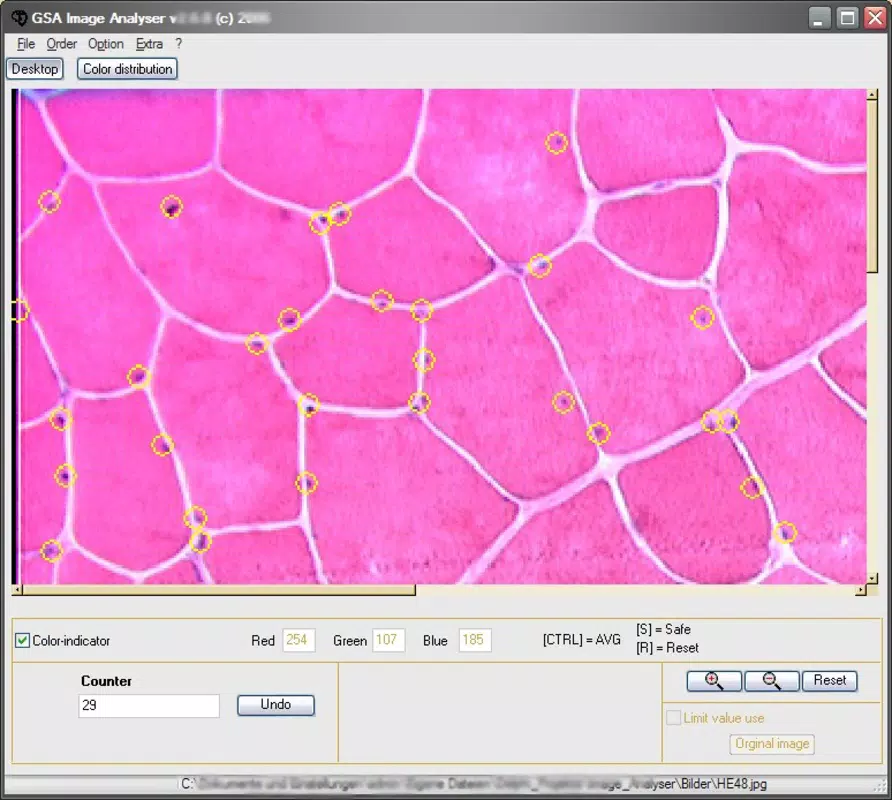
- Real Color Data Extraction: GSA Image Analyser identifies and displays accurate color values from any pixel in the image, supporting color consistency across design projects. This helps professionals match colors in digital and print outputs with minimal deviation.
- Multi-Source Photo Import: Users can import images from various origins, including hard drives, scanners, and imaging devices like microscopes. This flexibility enhances workflow integration across different professional environments.
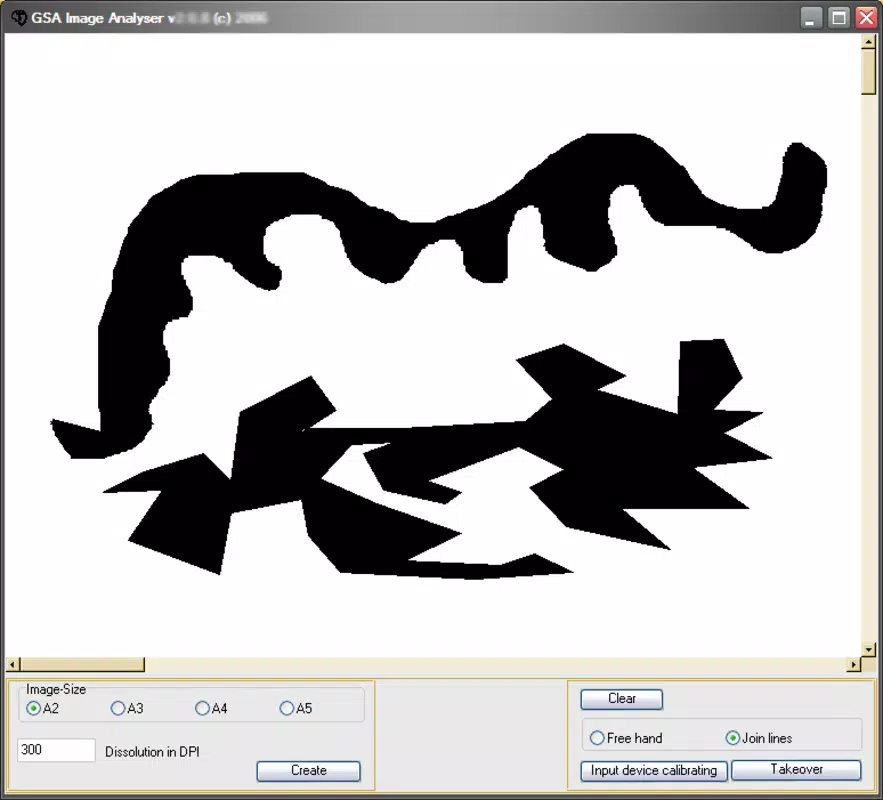
- Shape Recognition: The tool detects and identifies geometric forms and patterns within images, assisting in understanding composition and layout. This feature supports automated analysis of complex visual data.
- User-Friendly Interface: Designed with accessibility in mind, the interface allows users to navigate functions with minimal learning curve. The layout prioritizes essential tools, reducing clutter and enabling efficient task execution.
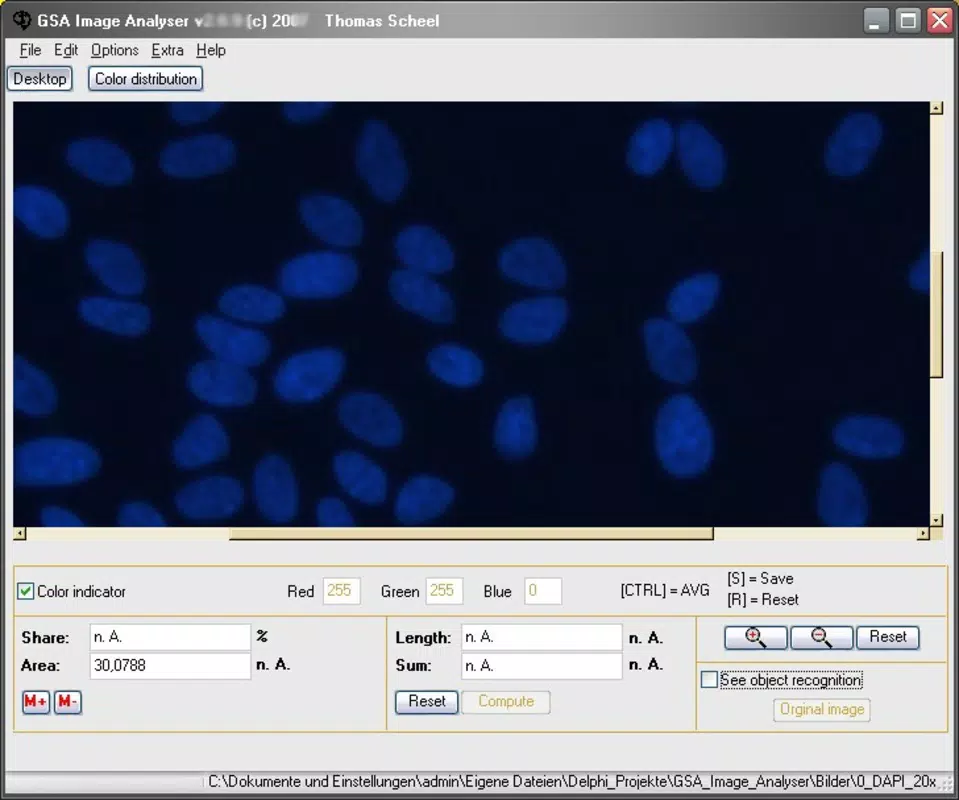
For example, a designer working on a product prototype can import a reference photo, measure distances between components, extract exact color codes, and verify shape alignment—all within a single workflow. Similarly, a researcher analyzing microscopic images can use the tool to measure cell sizes and identify structural patterns without relying on external software.
Interface, UX & Performance
The user interface of GSA Image Analyser reflects a clean, functional design optimized for professional use. Navigation is structured around core tools, with a central workspace for image display and a sidebar or toolbar for access to measurement and analysis functions. The visual style emphasizes clarity and precision, using muted tones and clearly labeled controls to minimize distraction.
Interaction is intuitive, with tool selection, point placement, and data display handled through straightforward gestures or clicks. The application supports smooth zooming and panning, which is essential when analyzing high-resolution images with fine details. Although the developer did not list formal performance metrics, the app’s 48.2 MB file size suggests a lightweight footprint, likely contributing to fast loading and responsive operation.
Performance across different device categories is not specified, but the application’s small size and targeted functionality indicate efficient resource usage. Stability appears to be a priority, as the tool focuses on core analysis tasks without unnecessary background processes. Responsiveness is expected to be strong during active use, especially when handling standard image formats common in design workflows.
Platform Compatibility & Technical Requirements
GSA Image Analyser is available exclusively on the Windows platform. The current version is 1.0.1, with a file size of 48.2 MB. The developer did not specify minimum OS requirements or compatibility details for different Windows versions. As such, users should verify system compatibility before installation.
Although the app is free to download and use, the developer did not provide information on update frequency, automatic update settings, or future development plans. Compatibility with future Windows updates remains uncertain without official documentation. Users are advised to check the official source for any changes to system requirements or supported file formats.
Pros and Cons
Pros
- Specialized functionality for precise image analysis and measurement
- Supports multiple image sources, enhancing workflow flexibility
- Accurate extraction of real color data and distance metrics
- Lightweight file size ensures fast installation and minimal storage use
- Intuitive interface suitable for users of varying technical skill levels
Cons
- Platform restricted to Windows; no support for macOS or mobile devices
- Developer did not disclose minimum OS requirements or update schedule
- Limited to 2D image analysis; no 3D or video processing capabilities
- Specific performance benchmarks were not provided
- No information on cloud integration or file sharing features
FAQ
Is GSA Image Analyser safe to download and install?
Yes, the application is free and available from the official developer site. It does not require third-party permissions and has a small file size, which reduces potential security risks.
Can I use GSA Image Analyser on mobile devices?
No, the app is currently available only for Windows. There is no information about mobile versions for Android or iOS.
Does GSA Image Analyser support video files?
Based on the available information, the app is designed for static 2D images only. Video processing capabilities were not mentioned.
How often is GSA Image Analyser updated?
The developer did not specify the update frequency. Users should check the official source for the latest version and release notes.
Can I export measurement data from GSA Image Analyser?
Export functionality was not listed in the provided details. The app may allow data viewing, but export options remain unclear.
Final Thoughts
GSA Image Analyser stands out as a focused, efficient tool for design professionals who require accurate image analysis. Its ability to calculate distances, extract real color data, and recognize shapes makes it a valuable addition to workflows involving 2D visual references. While limited to Windows and lacking advanced features like cloud sync or video support, its core functionality is well-executed and purpose-built.
For architects, engineers, and digital designers who rely on precise measurements and consistent color representation, this app delivers tangible value. The free price point enhances its accessibility, making it a compelling choice for both individual users and small teams.
Download GSA Image Analyser now


